
How to save any recipe,
on any platform
Whether you're on your phone, browser, or the web — Recipio makes saving recipes effortless. Pick your platform and follow along.
📱 iOS Share Extension
— follow along, step by stepFind a recipe on social media
You're scrolling TikTok or Instagram and you spot a recipe with ingredients and steps that looks amazing. That's where it all starts.
↳ works with any app that has a share button!

Tap the Share button
Tap the share / send icon on the video or post. This opens the iOS Share Sheet — the standard sharing menu you already know.
↳ the little arrow icon →
Look for Recipio (or tap "More")
Scroll through the share extension row. If you don't see the Recipio logo, tap "More" at the end of the row to find and enable it.
↳ you only need to enable it once!
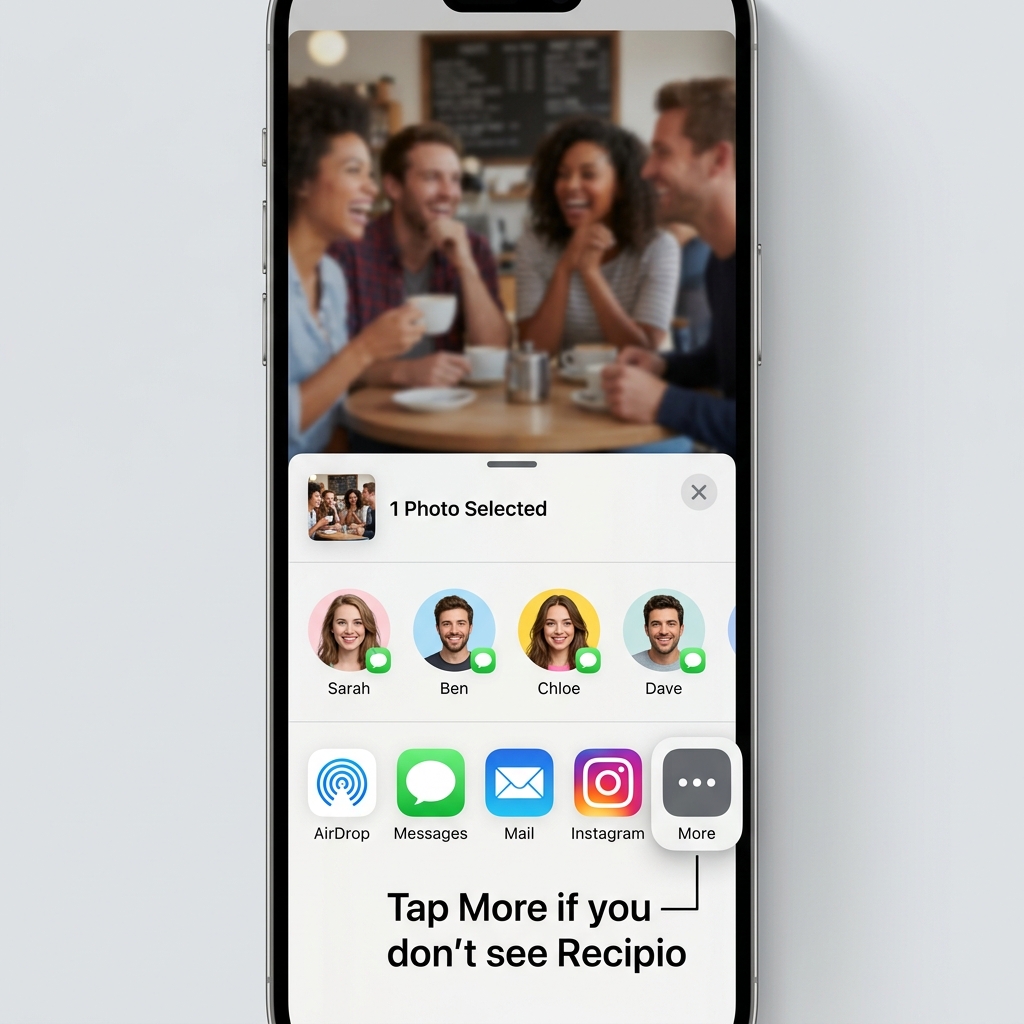
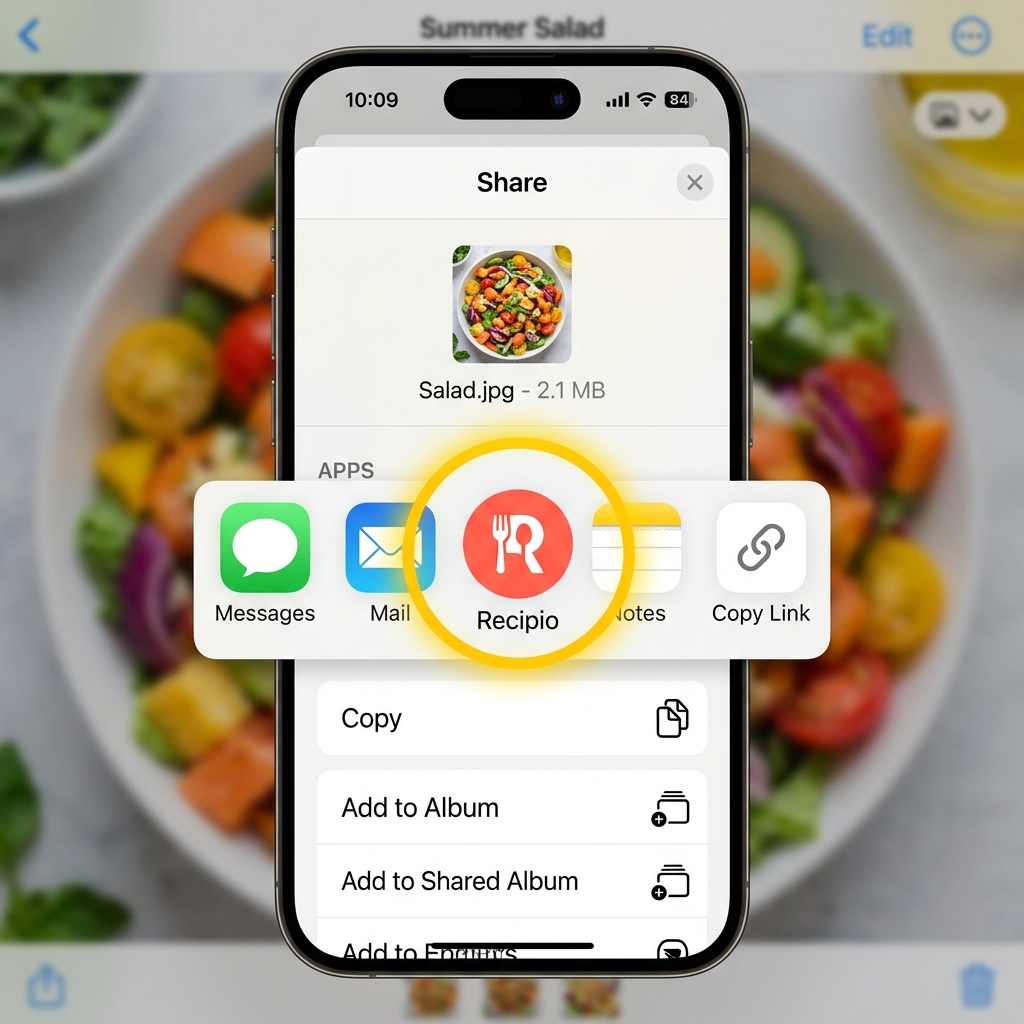
Tap the Recipio icon
Once you see the Recipio icon in the share row, just tap it. Our AI gets to work — pulling out ingredients, steps, and timings from the video or post.
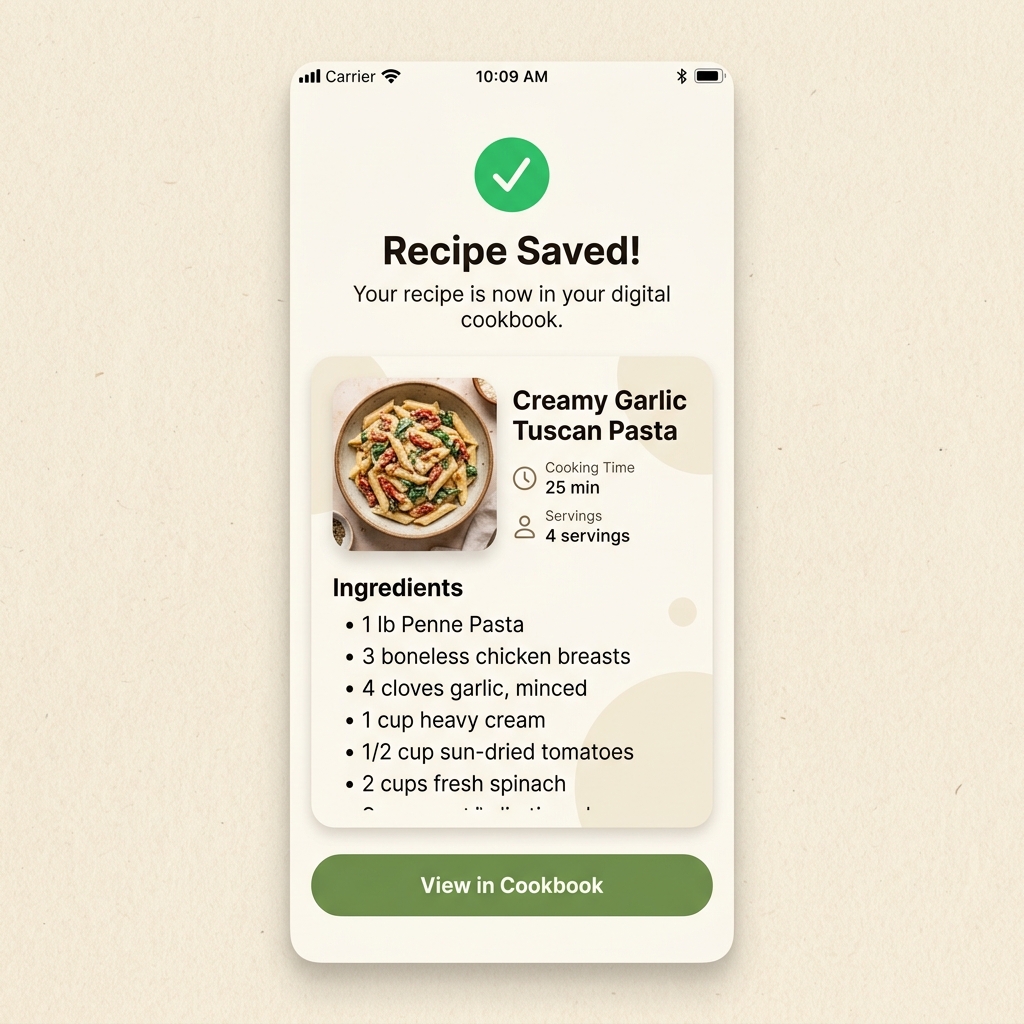
Saved! Check your cookbook
That's it — the recipe is saved to your Recipio cookbook automatically. Open the app anytime to cook it, plan it, or add the ingredients to your grocery list.
↳ saved in about 2 seconds ⚡
Ready to start saving?
Download the free iOS app and never lose a recipe again.
One account. Every platform.
Your recipes sync everywhere. Save on your phone, plan on the web, shop on the extension — it all stays connected. Sign up once and you're set for life.
✓ free forever — no paywall, no credit card, pinky promise